
Finding and Acquiring Data over the PISTIS Marketplace
Finding and acquiring data is performed over the PISTIS Data Catalogue, which is the central Marketplace of PISTIS , allowing to browse all available data assets and acquire them.
Visiting the PISTIS Marketplace
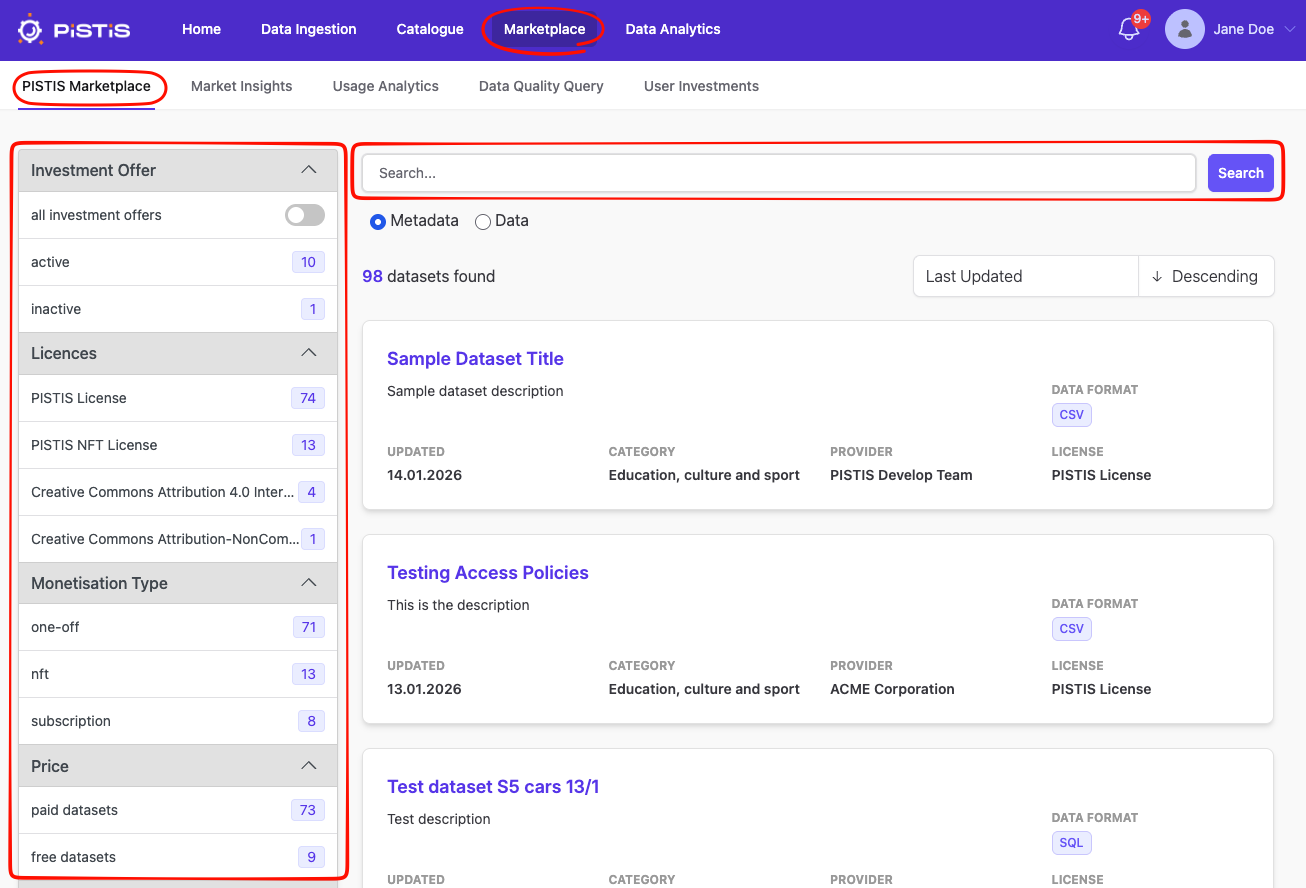
You can browse to the catalogue by clicking on Marketplace in the main menu:
Searching
The UI follows the same methodology as the [Factory Data Catalogue](../5.Data Factory Environment/5.catalogue.md). You can filter and sort the data assets. In addition you can perform a full-text search within the metadata. By clicking on a title of a data asset you will be forwarded to the details page.
Details of an Asset
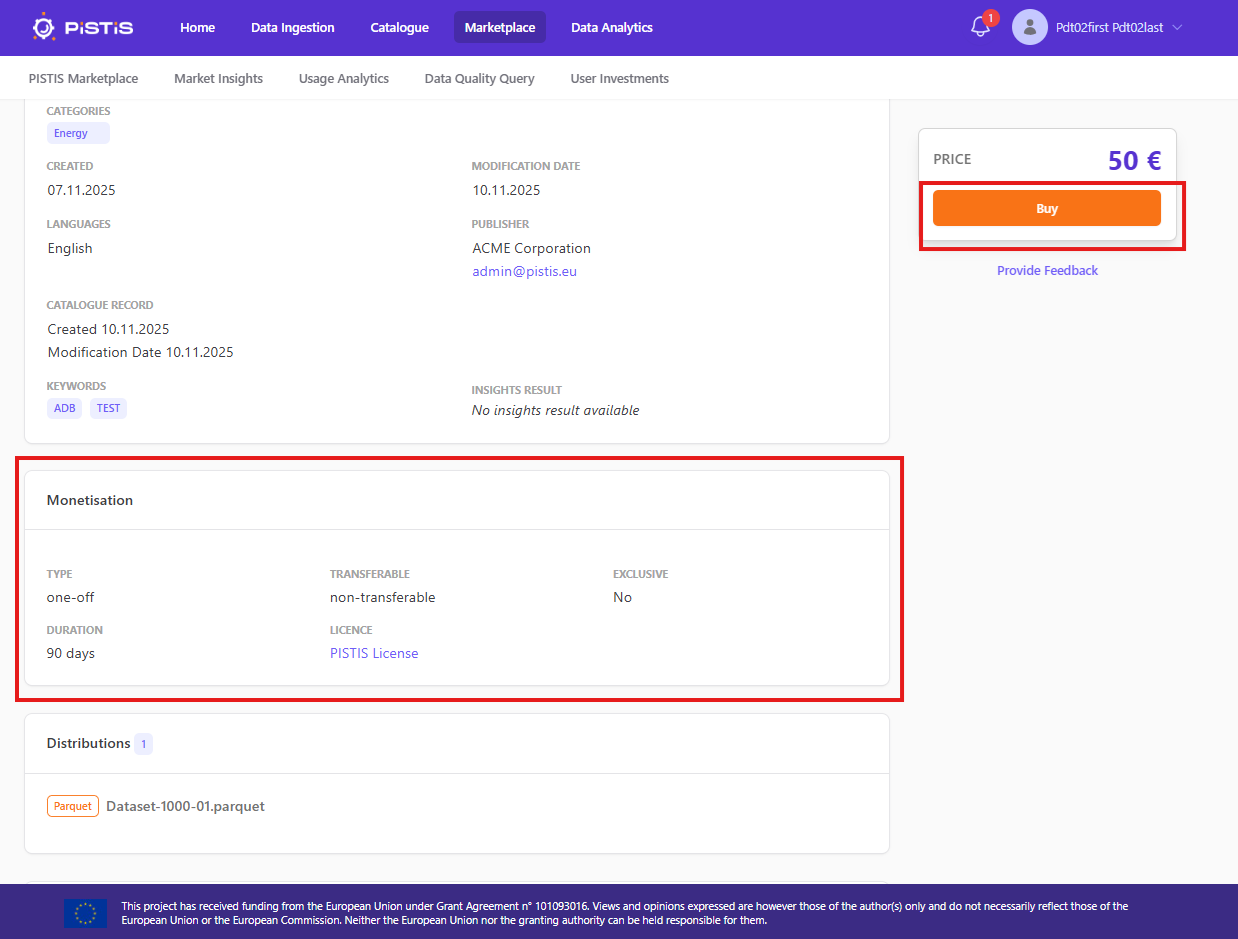
The details pages shows you detailed metadata of the data asset and allows you to purchase it. The most important information is the monetization information, which indicate the price, conditions and constraints of the data asset. When you buy the asset you agree to them.
Acquiring an Asset
The price is shown above the Buy button and you can buy the asset by simply clicking it. This will trigger the transfer the of the asset into your Factory Data Catalogue.
Following this action, the transaction is executed behind the scene and is recorded in the blockchain. Once the transaction is sucessfully executed, a confirmation message is shown. Following the execution of the transaction, the acquired dataset is available in the local Data Factory environment of the user (some time might be required to fully transfer the data and display the catalogue entry).