Job Configurator
The Job Configurator oversees defining templates to support data pipeline jobs, as well as orchestrating them through the development of complex workflows. These workflows are services pipelines creating a single job combining functionalities such as ingestion, encryption, generation of insights and data transformation.
Creating Data Pipelines with the Job Configurator
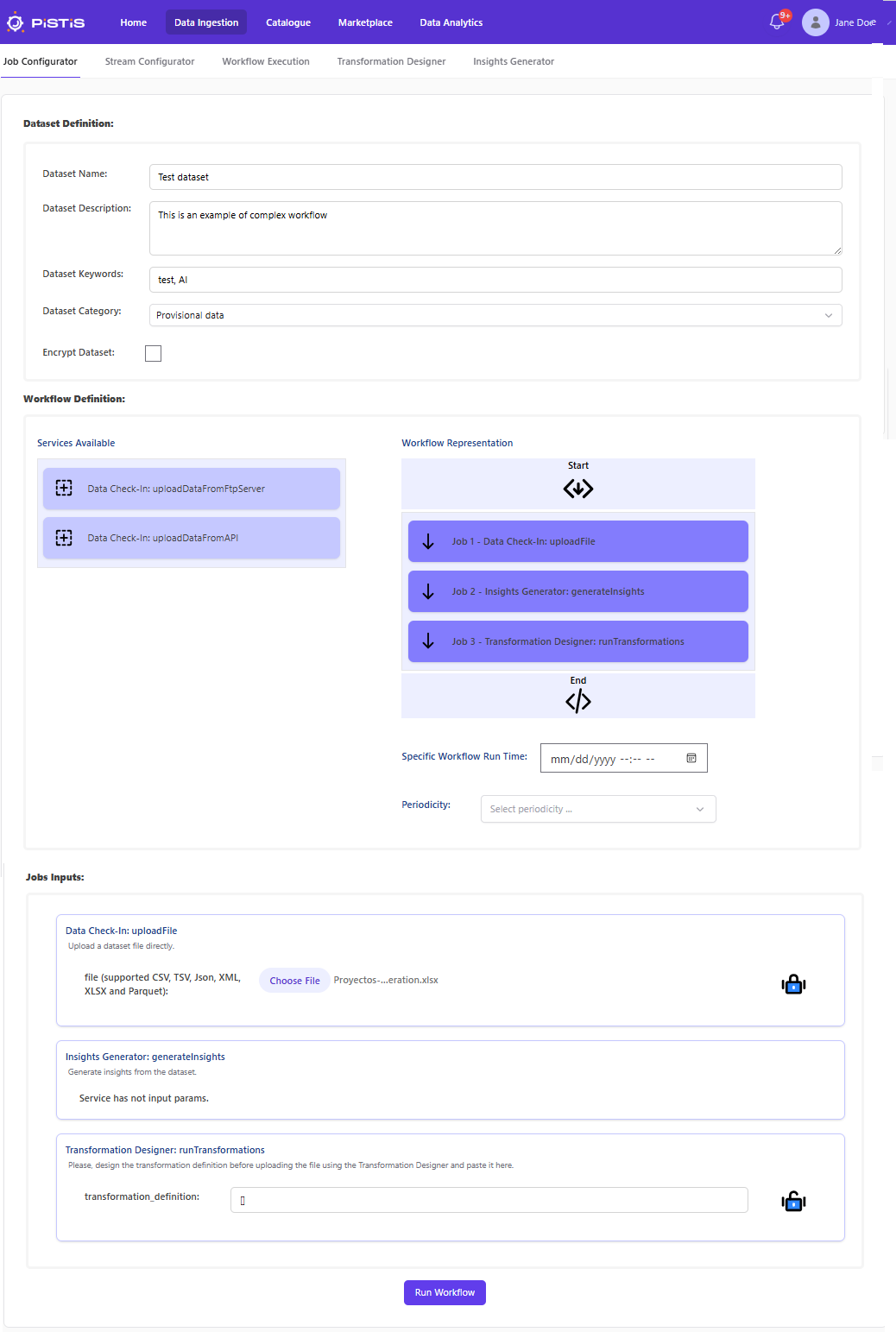
The Job Configurator allows users to design complete data pipelines by combining the first three upload methods (Batch File, API, and FTP) with additional steps such as data transformation and insight generation. Pipelines are created using a drag‑and‑drop interface:
- Select available services from the "Services Available" panel.
- Drag and drop them into the "Workflow Representation" area to define the execution flow.
- Once the pipeline is configured, click the Run Workflow button located at the bottom of the page.
After execution starts, the system returns a workflow ID.
Note: Workflow execution may take several seconds. The workflow ID can be used to monitor progress and check execution status from the Workflow Execution menu.
Workflow Definition Example
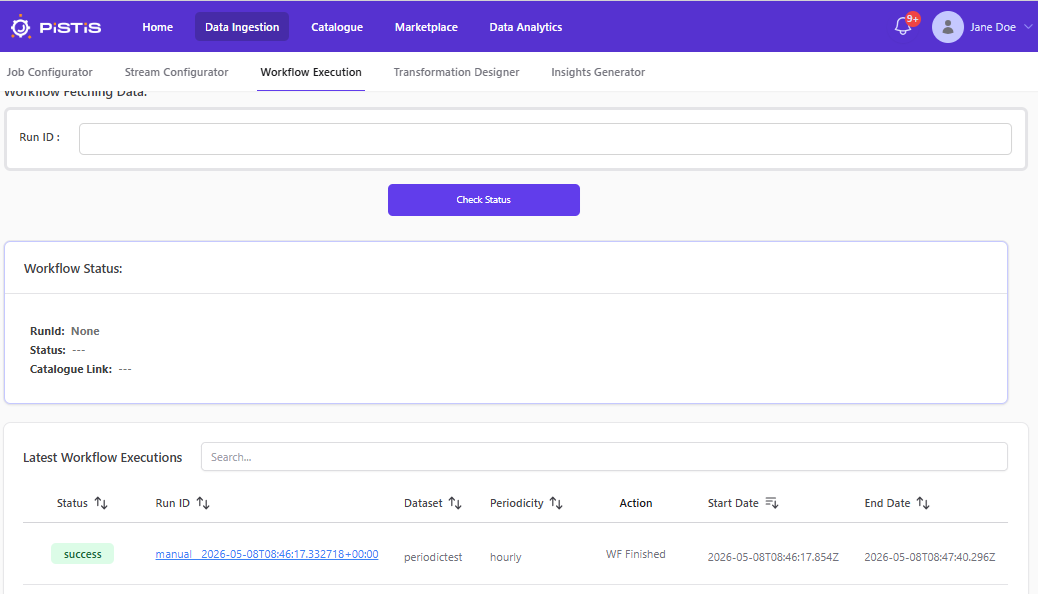
Check Workflow Status
To determine the current execution status of a specific workflow, the user is first served with the list of existing jobs and their status. The workflow ID delivered as output after the execution of the workflow can be used to filter the specific job, and to obtain all relevant information about the execution.