Data Check-In
Data Check-in will enable support for data sources that will supply data for the solution workflow, as data sources can come in a variety of forms (files, FTP, data streaming flows, etc.).
Data Check-In will serve as input for the whole data workflow in the PISTIS platform allowing several ways for data ingestion including the following:
- File upload
- FTP Server
- API
- Stream
For batch ingestion, the Data Check-In component offers three ways of uploading data to the factory:
- File upload ("uploadFile"): This service allows upload and storage of a file in the factory server. The file to upload is consumed by the subsequent data processing workflow defined in the Job Configurator. The usage The Job Configuratior user interface provides inputs Some basic verifications could be carried out in order to check some requirements regarding the data file provided (e.g. size limits, data formats, etc.).
- FTP upload ("uploadDataFromFTPServer"): This service allows uploading data from a specific FTP server dataset. This method should be called providing all the information needed to get access to the data (e.g., endpoint, path to the file, filename, required credentials, etc.).
- API upload ("uploadFromAPI"): This service allows calling an existing API (e.g., a REST endpoint) to retrieve data and uplodad it to the factory. As in the previous case, specific attributes to access to the API should be provided by the user.
For more details about these options, please check the Platform usage - Uploading data to PISTIS.
Besides these three options available from the "Job Configurator" menu, the user could use a fouth way of uploading data in a streaming fashion:
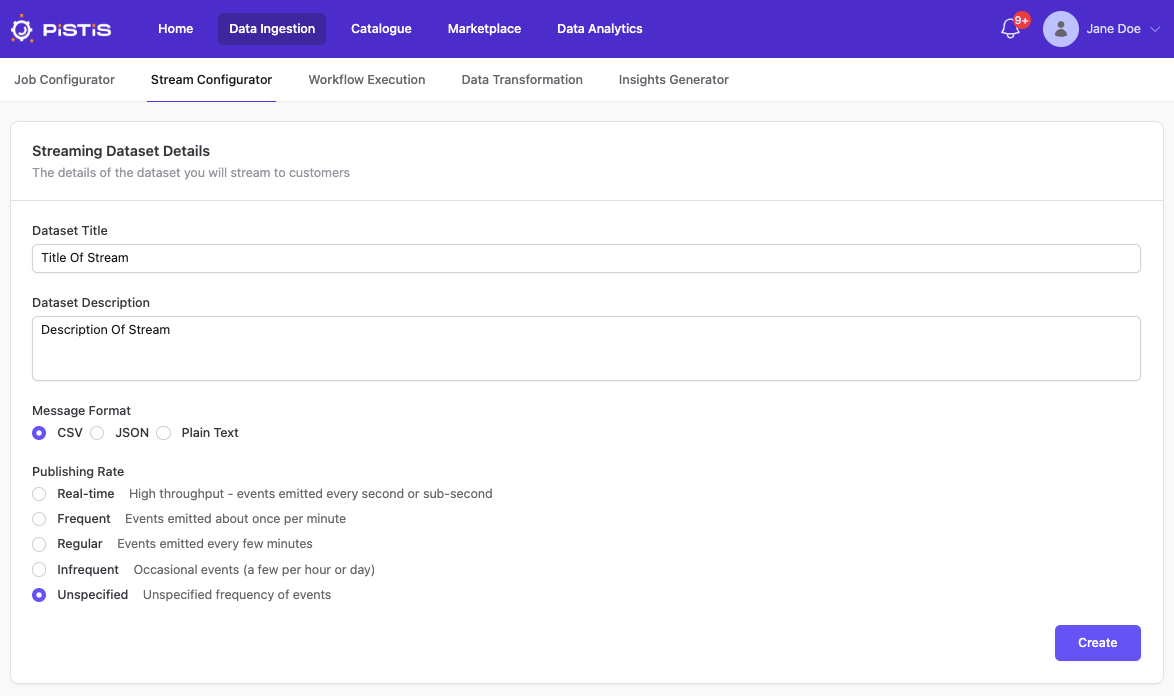
- Streaming upload ("Stream Configurator" menu option): A dedicted menu option is available to upload data from streams. Here the user can select the Title and Description for their dataset Kafka stream, the message format and the publishing rate for it.
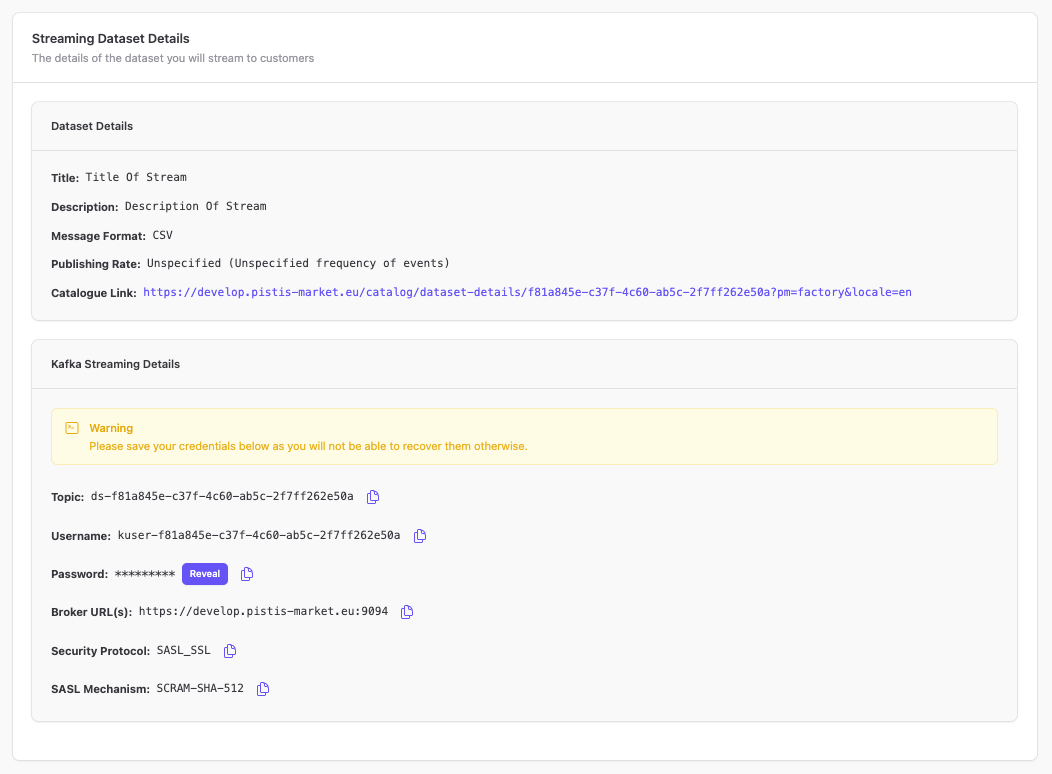
After pressing "Create", the user can see Dataset Details, as well as the Kafka Streaming Details. The user is warned to save the credentials presented in the second container because they will otherwise not be able to recover them. Every bit of the configuration is copiable through a button.