Data Transformation
This is the Data Transformation component documentation for the PISTIS project. The Data Transformation component is responsible for transforming raw data into a format suitable for further processing and analysis.
Designing Transformations over the Data
Get available Transformations
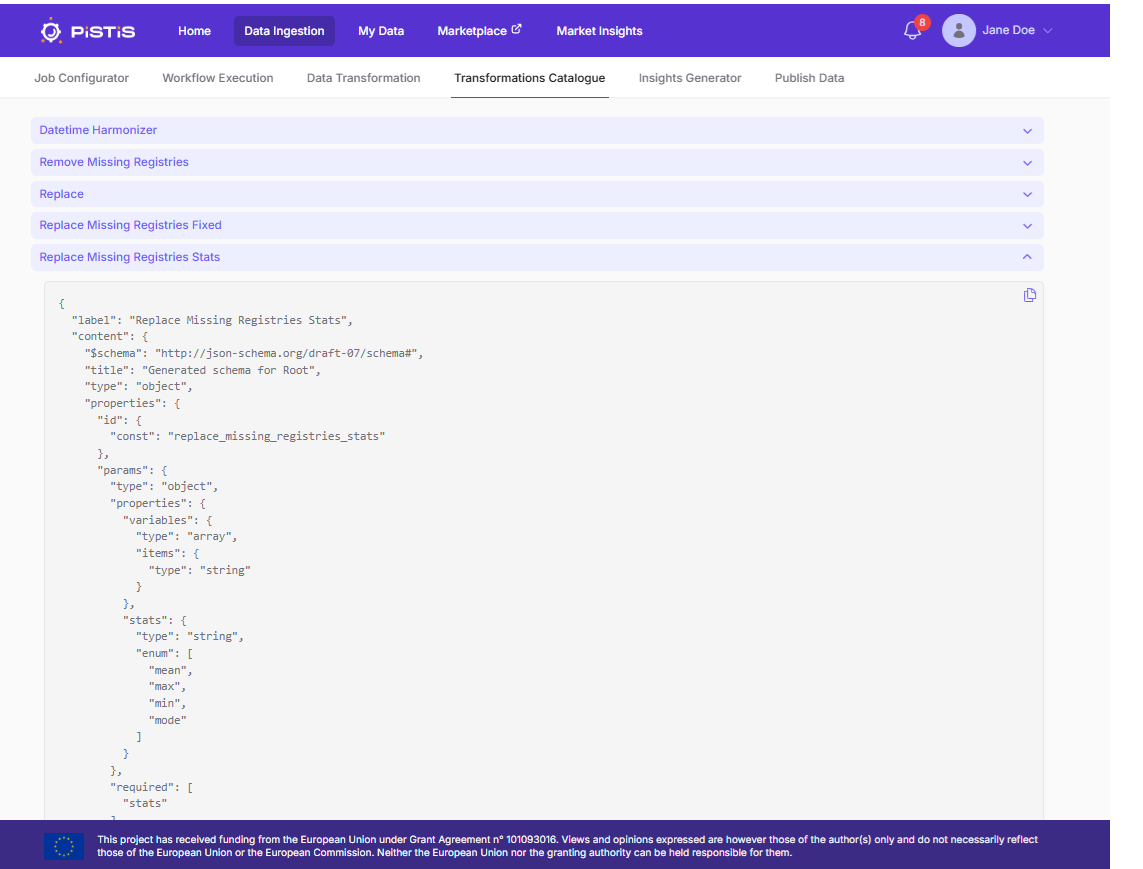
All accessible Transformations could be listed and inspected by accessing the Transformation Catalogue.
 Using the job configurator panel, the user is able to perform various transformations over the data based on pre-defined transformations.
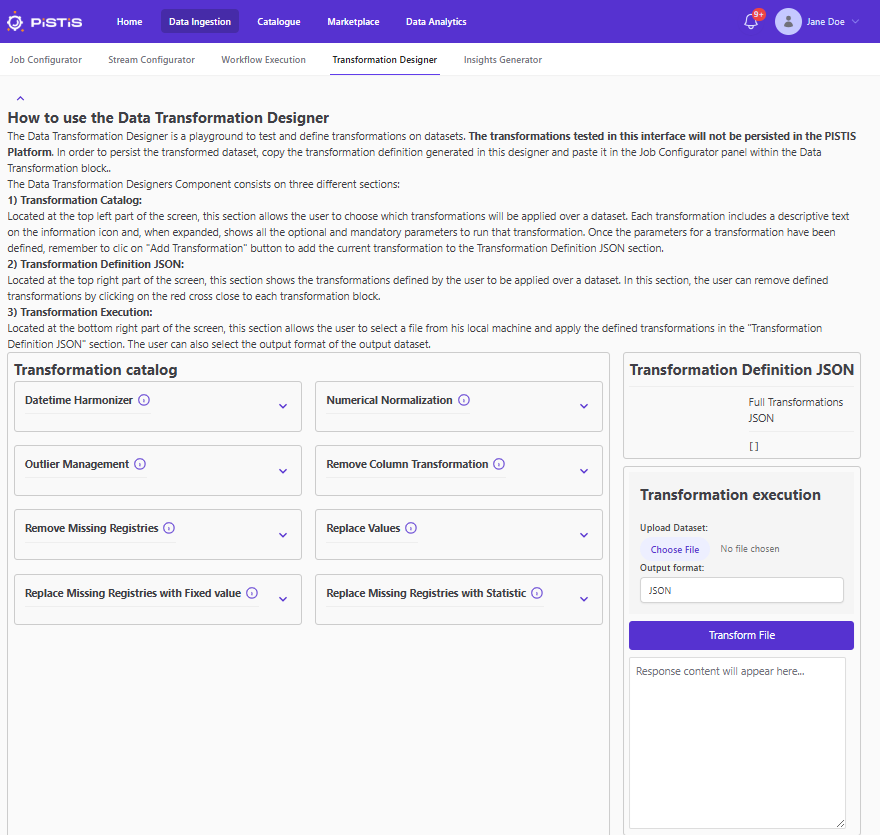
The system provides a Data Transformation Designer panel as a playground to design and test transformations over the dataset locally. The Transformation Designer provides written information in the page about its usage. If the user plans to run some data transformation techniques, before uploading the file users should define first the transformation in the Transformation Designer.
Performing transformations
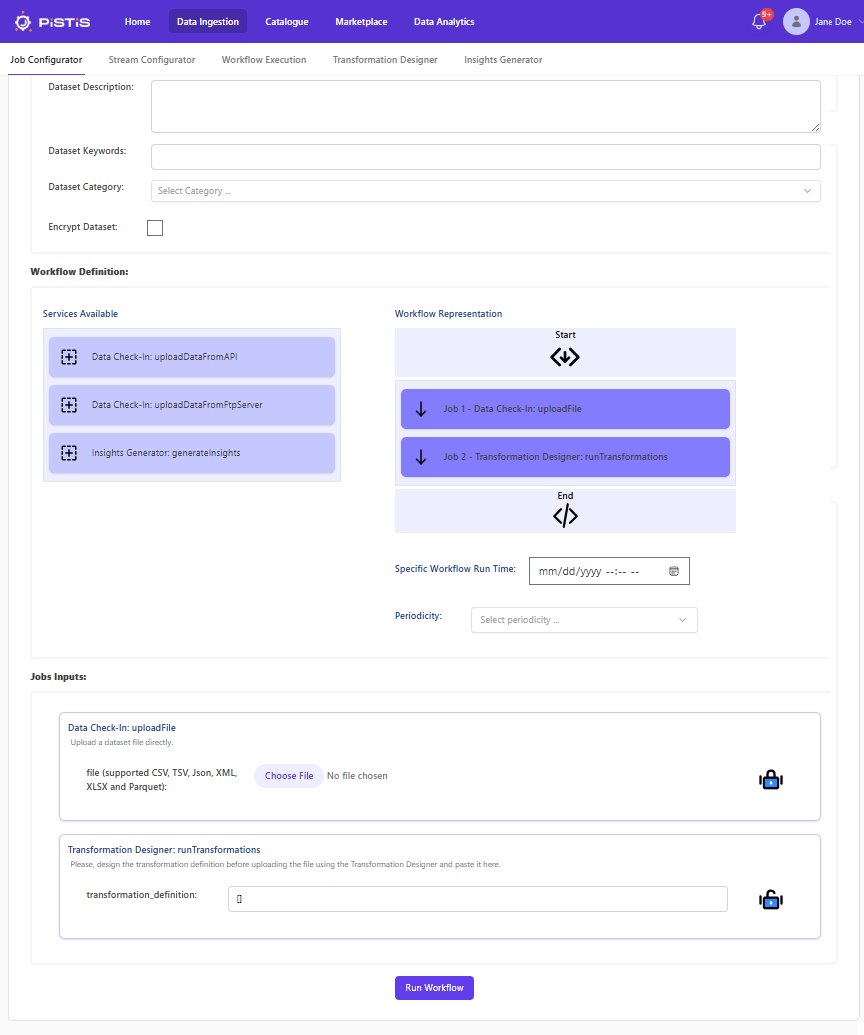
Once the transformation is tested in the Transformation Designer, the user should copy the rules to the Job configuration panel. To do so, drag & drop both the Data Check-in and the Data Transformation blocks to the right, select the file to upload and copy the transformation rules into the Transformation box: