
Access Policies Editor
In this section you will be able to manage custom Access Policies for the asset in publication.
By default, each asset is published with a Default Access Policy which defined that Everyone can READ and TRADE the asset, as shown in the figure bellow.
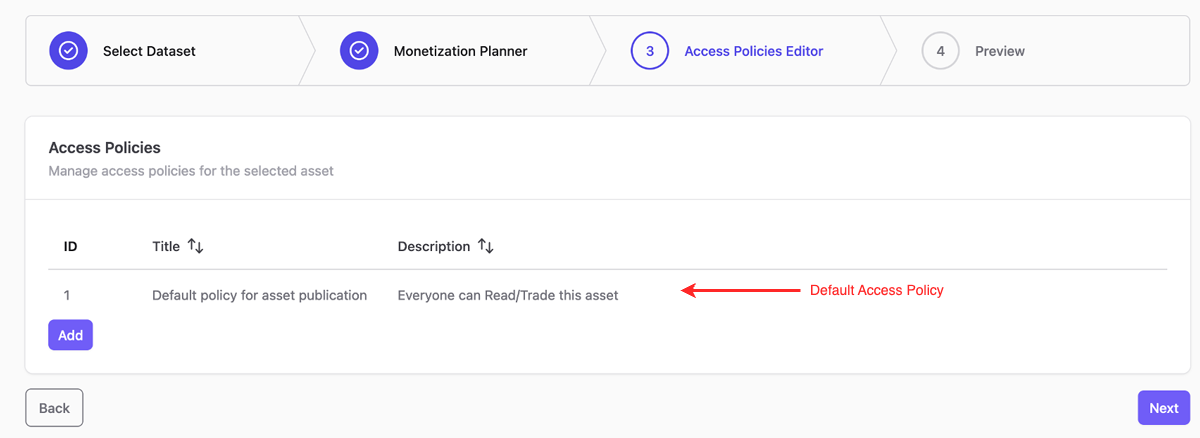
NOTE The Default Access Policy cannot be changed or removed.
Any custom added Access Policies will define Exclusion Rules in other words, cases where the Asset's READ or TRADE access has be prohibited.
Add custom Access Policies
By pressing Add button a prompt dialog appears, as shown below:
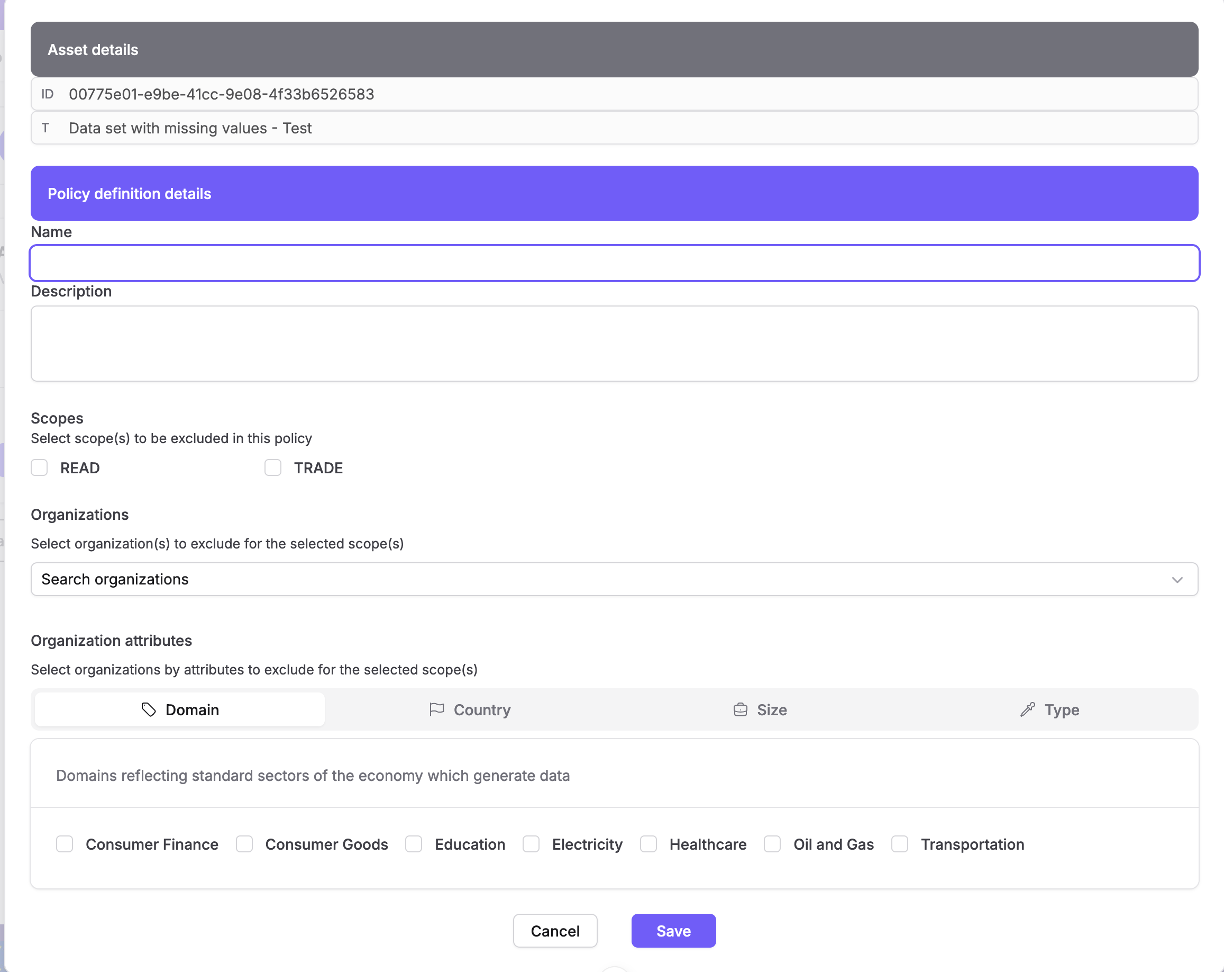
In the top of the dialog Asset ID and Title are displayed for convenience. User has to provide a Name and a Description for the Access Policy identification.
Right after, the actual scenario of the Policy has to be specified via selecting:
- Scopes that user would like NOT TO ALLOW for the asset publication
- Organizations that user would like to include in this exclusion policy. Organizations can be selected one by one with the type 'n' search field provided in the dialog. Alternatively, user is able to select Organizations by their attributes, namely: Domain, Country, Size and Type
After setting all the required options, button Save has to be pressed and the custom Access Policy has been added in the list, where the user is also able to Edit or Remove it.
Same procedure can be followed for creating more Access Policies, if desired.