
• User Guide
  • Developer Guide
    • Getting Started
    • PISTIS platform usage
    • Home Page
    • Uploading Data To PISTIS
    • Managing Data within a Data Factory
    • Pushing Data to the PISTIS Marketplace
    • Investment Planner
    • Finding and Acquiring Data over the PISTIS Marketplace
    • Admin Cloud Overview
    • Factory Registry
    • Distributed Query
    • System and Activities Monitor
    • Transaction Auditor
    • Models Repository
    • Usage Analytics
    • EUDI Wallet Integration
    • Data Factory Overview
    • Data Check-In
    • Data Transformation
    • Insight Generator
    • Job Configurator
    • Factory Data Catalogue
    • About Data Model
    • Data Enrichment
    • Anonymiser
    • Lineage Tracker
    • Data Quality Assessment
    • Market Insights
    • Usage Analytics
    • Access Policies Editor
    • Data Publication Tool
    • Investment Planner
    • User Investments
    • The Marketplace
    • Recommended Datasets

Usage Analytics

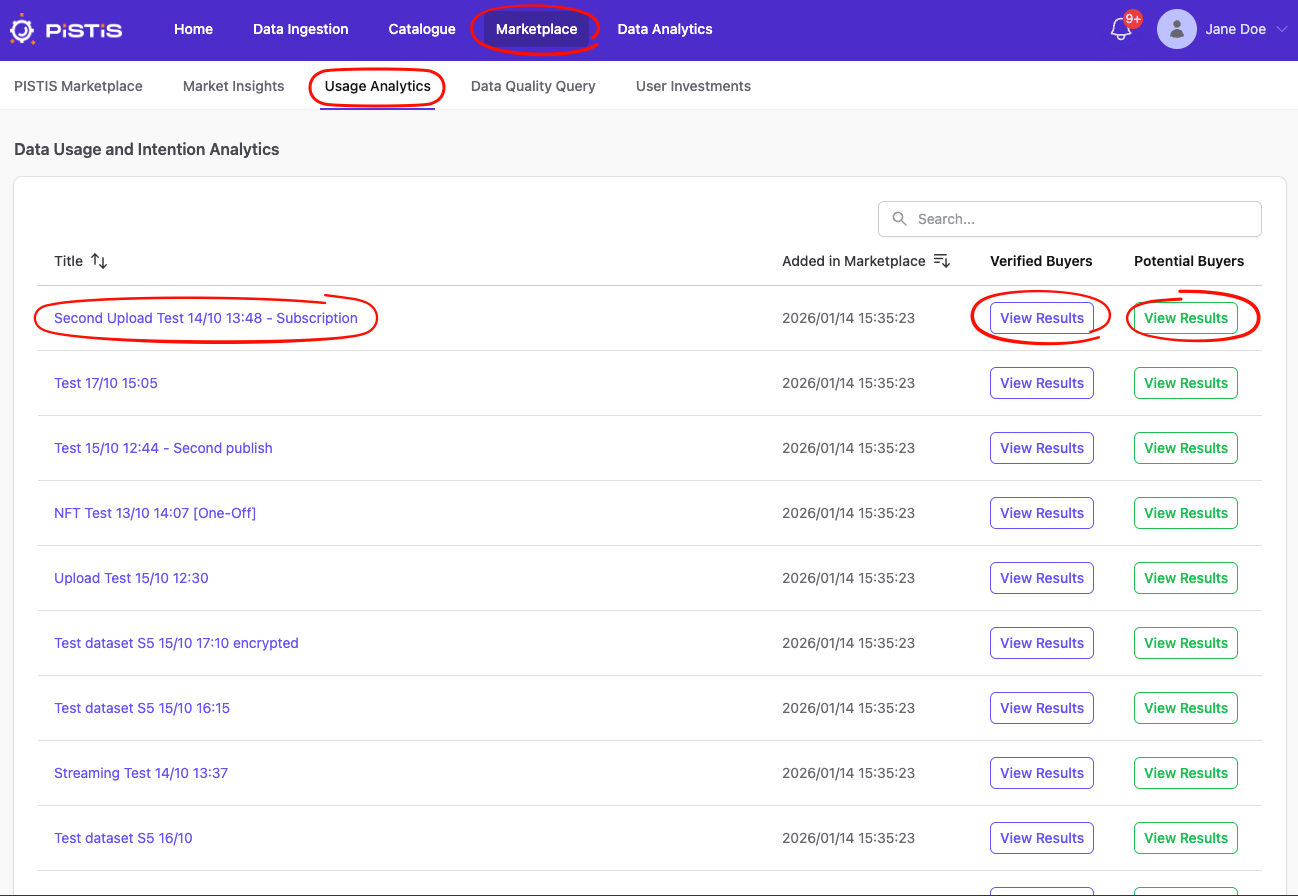
In this screen, the user can see a table with a list of their marketplace offerings, with links to the Marketplace details page (title), a page of graphs regarding the responses from verified buyers (blue "View Results" button) and a page of graphs regarding the responses from potential buyers (green "View Results" button).
Usage Analytics

Data Factory EnvironmentMarket Insights
Data Factory EnvironmentAccess Policies Editor